Analysis
Analysis shows trends in your business across a financial year: how worked hours track the roster, how staff clock on, whether pay matches what you'd expect, staff turnover, and the make-up of your workforce. Its figures are a guide for managing your business, not for reporting.
| Required plan | Standard Enterprise |
|---|---|
| Required access | Report |
| For Expected vs actual salary, Employee turnover rate and Staff Demographic | Report and Payroll |
| For Roster worm | Report and Roster |
Open Analysis for a financial year
- Navigate to Menu > Payroll > Analysis.
- In Select year, choose the financial year.
- Click View beside the analysis to open.
Roster worm: rostered against worked hours
Roster worm charts each employee's worked hours against their rostered hours, week by week, as a running line, to show how staff manage their time against the roster. Only shifts with both a roster and a timesheet count, so a rostered shift no one worked, or a timesheet with no roster, is left out.
Clocking method: how staff clock on and off
Clocking method shows how often each employee clocks off rather than missing it, against your business's average and Microkeeper's, for staff with more than 10 shifts. A chart for each employee shows how their hours were recorded: by fingerprint, NFC tag, GPS device, the Employee Console, the Quick Clock page, off the roster, entered by hand, or missed.
Use it to find staff who often forget to clock, and the clocking methods that work for your venues. See Time and Attendance Options.
Expected vs actual salary
Expected vs actual salary compares what each active employee was expected to earn with what they were paid, as a ratio and a weekly chart, and for all staff together. The expected figure is their rate times their ordinary hours for each pay period, plus super. The actual figure is the gross pay on their payslips.
Use it to find staff costing more or less than expected. Some difference is normal: casuals usually earn more than their ordinary hours suggest.
Employee turnover rate
Employee turnover rate shows the year's turnover, with its Terminations, Hires, and Opening headcount and Closing headcount, for everyone or one Group. Each month's turnover is its terminations divided by its average headcount, so it relies on staff having their start and termination dates set.
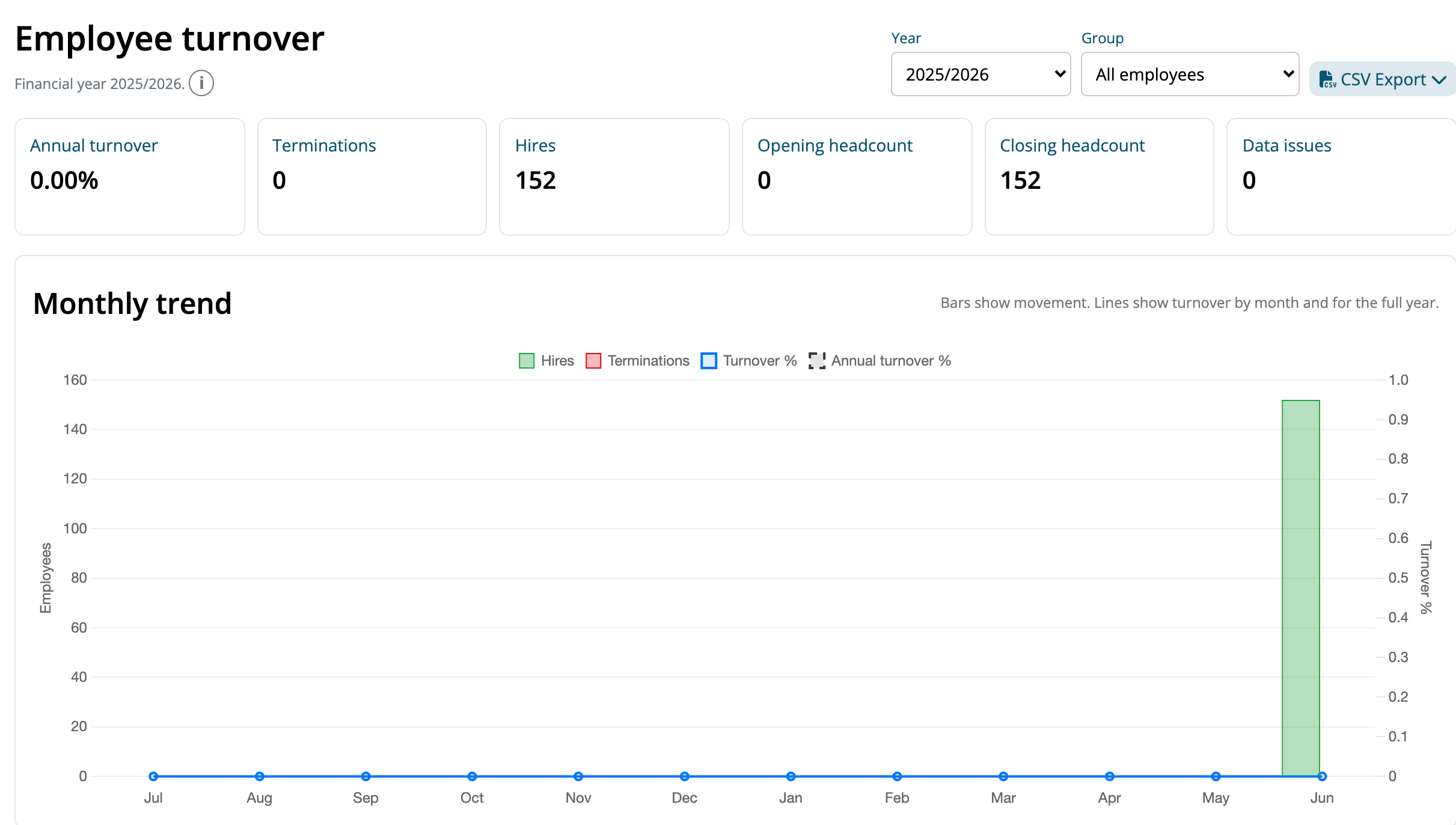
Below them, a monthly trend and the Monthly breakdown table show each month's headcount at the start and end, hires, terminations and turnover, followed by the staff hired and terminated. Click CSV Export > Summary to download the monthly figures.
Staff Demographic
Staff Demographic describes your active staff by age bracket, Position and employment type, with the average time they've been employed. For the last 12 months, it shows personal leave taken, hours worked and WorkCover taken, by employment type.