Max Spread Rules
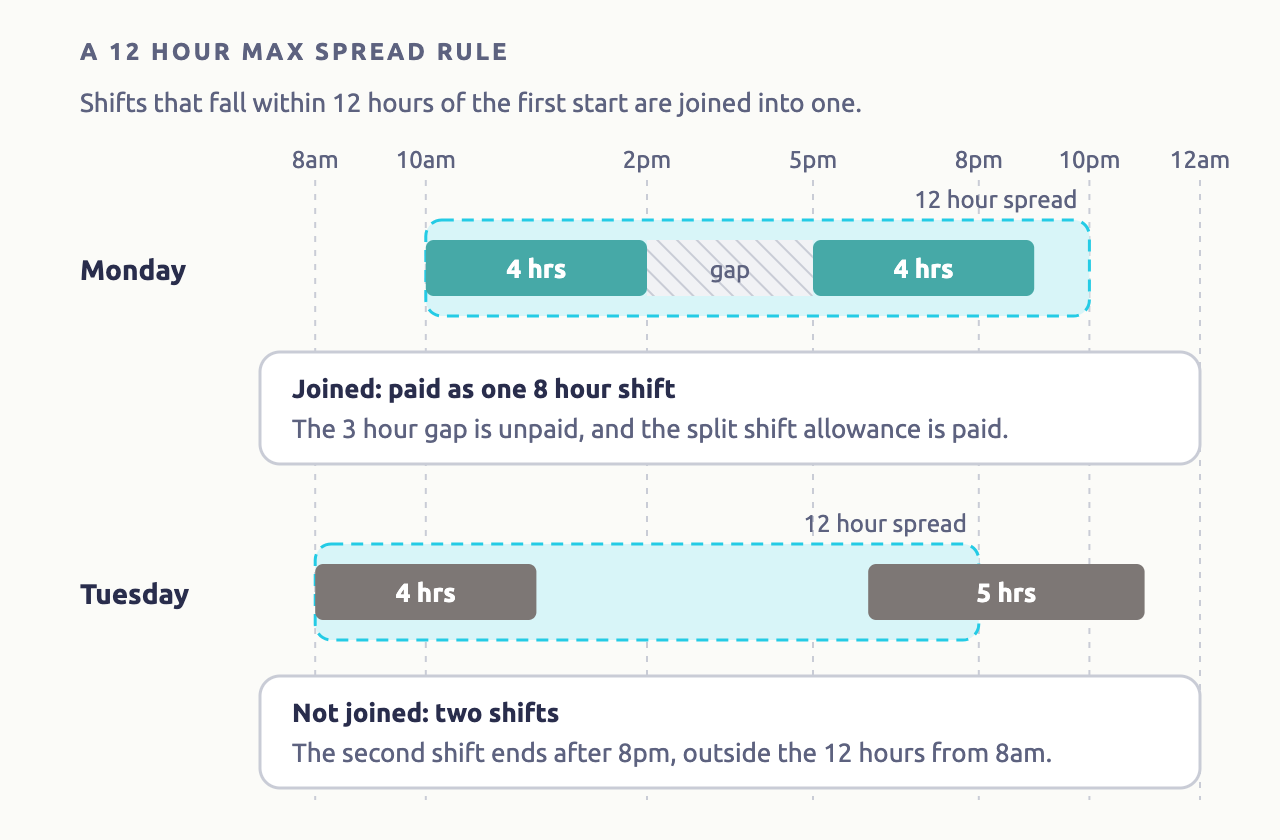
A Max Spread Rule joins an employee's separate shifts on a day into one shift for pay, as long as they all fall within a set number of hours, such as 12. Shift Rules then pay the day as if it were worked straight through, so overtime after 7.6 hours counts both parts. The gap between them is unpaid, and is what Extra Rules pay a split shift allowance for.
| Required plan | All plans |
|---|---|
| Required access | Settings |
Navigate to Menu > Settings > Payroll Rules > Max Spread Rules. It's shown from payroll version 8, the first version that uses them.
When to use Max Spread Rules
- Your award has a spread of hours, such as all work within 12 hours of starting, and pays split shifts as one day's work.
- You pay a split shift allowance. Extra Rules only pay it for days a Max Spread Rule joins. See Extra Rules.
Without a Max Spread Rule, each shift with a gap before it is paid as a shift of its own.
Add a Max Spread Rule
- Click New Max Spread Rule.
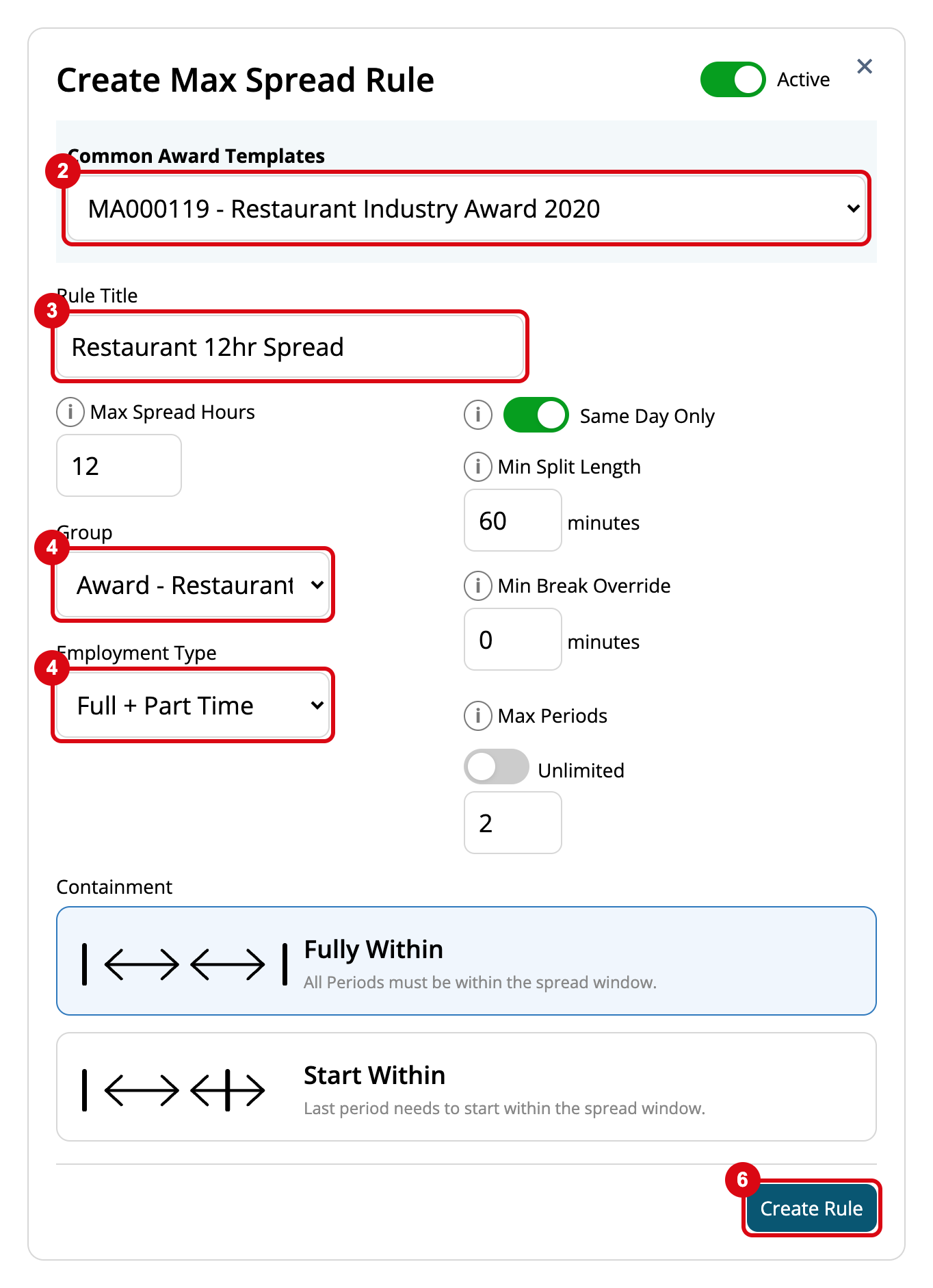
- Choose your award under Common Award Templates, such as MA000119 for the Restaurant Industry Award, to fill in its settings.
- Enter the Rule Title.
- Choose the Group on the award and the Employment Type, such as Full + Part Time.
- Check the settings below against your award.
- Make sure Active is on, and click Create Rule.
| Setting | What it does |
|---|---|
| Max Spread Hours | The longest time from the start of the first shift, such as 12 |
| Same Day Only | Only joins shifts on the same day. A shift starting after midnight isn't joined |
| Min Split Length | The shortest gap, in minutes, that counts as a split shift. A shorter gap is treated as a clocked break |
| Min Break Override | A clocked break shorter than this, in minutes, is rounded up to it |
| Max Periods | How many shifts can be joined, such as 2. Turn on Unlimited for no limit |
| Containment | Fully Within: every shift must end within the spread. Start Within: the last shift only has to start within it |
If more than one rule matches an employee, the first by title is used. To stop using a rule without deleting it, turn Active off.