Set Up Super
Before you pay super for the first time, sign up to Beam, the super clearing house Microkeeper pays super through, and verify the bank account super is paid from. Each employee also needs a super fund and member number on their profile, which new staff enter themselves in onboarding.
| Required plan | All plans |
|---|---|
| Required access | Settings and Payroll - Full Access |
Before you set up super
Beam needs your business's details, so check these are filled in:
- In Menu > Settings > General > Global: the business name, and the first and last name of the business contact.
- In ABN and Pay Cycles: each ABN's address, postcode, phone and email, and its Super Bank Account, which Beam direct debits for super. See ABNs and Pay Cycles.
Sign up to Beam
- Navigate to Menu > Payroll > Super, and choose the ABN. Or, in a pay run's Complete Payrun, click 4. Pay Super.
- Click Setup Beam. Beam's sign-up opens in a new tab.
- Click Start.
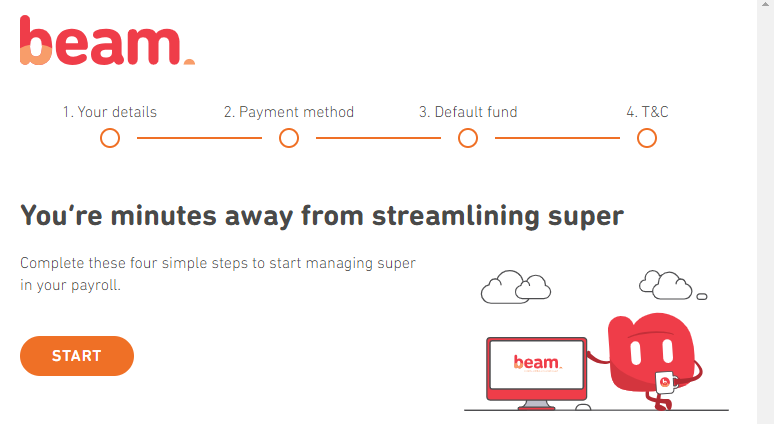
Beam's sign-up has four steps. Click Next at the bottom of each one.
| Step | What to do |
|---|---|
| 1. Your details | Check your business details and key contact. They're filled in from Global Settings |
| 2. Payment method | Check the bank account Beam will direct debit for super. It's the ABN's bank account from Microkeeper |
| 3. Default fund | Choose the fund for staff who don't have a chosen or stapled fund. Click Select Australian Retirement Trust, or search for another fund by USI or ABN |
| 4. T&C | Read and accept the Beam Product Disclosure Statement and Precision's Privacy Policy, the Direct Debit Request Service Agreement, and becoming a participating employer of Australian Retirement Trust |
When you see "Congratulations!", click Back to Microkeeper.
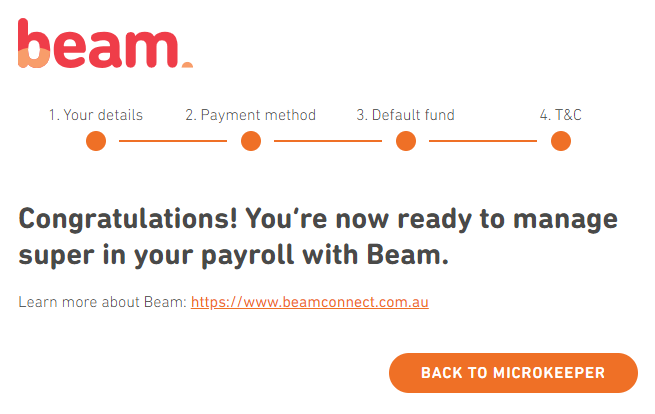
Once you're set up, Pay Super shows the Process Log, Members and Refunds tabs instead of Setup Beam. To change your Beam details later, click Beam Settings.
Then, in Menu > Settings > General > Super Settings, set Super Frequency to Payrun, as you pay super with each pay run.
Your default fund shows on each ABN's card in ABN and Pay Cycles, and in Global Settings under Super Settings.
Verify the bank account super is paid from
Super is paid by direct debit from each pay cycle's Super Bank Account, or from the ABN's bank account if it's left as ABN Default. Microkeeper checks the account is yours before it pays super from it.
- Navigate to Menu > Settings > General > Bank Details.
- Click Verify next to the account, then Send Codes. Microkeeper pays two amounts under $1 into it.
- When they arrive, usually straight away but up to 3 business days, enter the two amounts and click Verify.
If you already have a verified account with the same BSB and account number, the new one is verified as soon as you click Send Codes.
How staff choose their super fund
New staff choose their fund in onboarding. On the Employee Console, they click Start Super Setup, then:
- Click Choose Other, then Next.
- Search for their fund by name, USI or ABN, choose it and click Save.
- Enter their Super Member Number and click Save.
Super Setup opens once the rest of their onboarding is complete, including their tax file number, address and gender. See Onboarding.
Enter an employee's super fund
For staff who don't onboard themselves, or to change a fund:
- Open the employee's profile and go to Super Fund Details.
- In Search funds via USI, SPIN, ABN or Name, find the fund and choose it for Employer Super.
- Enter their Member Number.
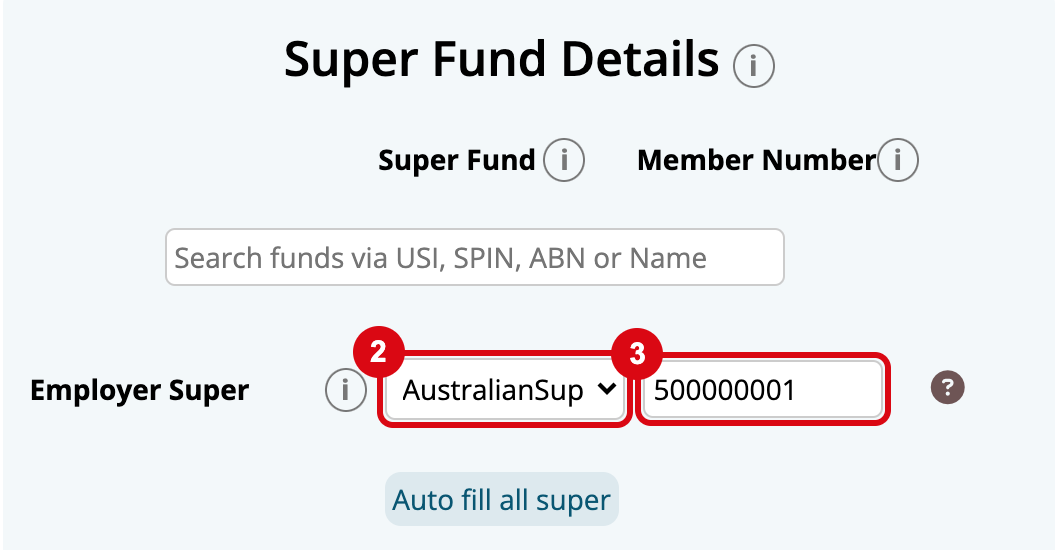
The other rows are for other kinds of super: Additional Super, Expense Super for salary sacrifice, and Deduction for after-tax contributions. Click Auto fill all super to use the Employer Super fund and member number for all of them.
Change how super is worked out for an employee
On the employee's profile, under Advanced Super Details:
| Setting | What it does |
|---|---|
| Super Ordinary Hours | On Ordinary Hours pays super on qualifying earnings, without overtime. On total hours pays it on overtime too, for an award or agreement that requires it |
| Additional Super Rate | A percentage you pay on top of the Super Guarantee Rate |
| Super Override | A Fixed, Minimum or Maximum dollar amount of super each pay run |
| Super Minimum | The monthly earnings before super is paid. Leave it at $0: the $450 a month threshold ended in 2022 |
Under Entitlements, set Super on Leave Loading to Apply Super. The ATO counts annual leave loading as qualifying earnings, unless it's for lost overtime.
Pay super to a self-managed super fund
- Navigate to Menu > Settings > General > Super Settings, and click Self Managed Super Fund.
- Enter the Name of SMSF and its ABN.
- Choose its Electronic Service Address, from the fund's details.
- Enter its bank account's Title, BSB and Account number.
- Click Add SMSF.
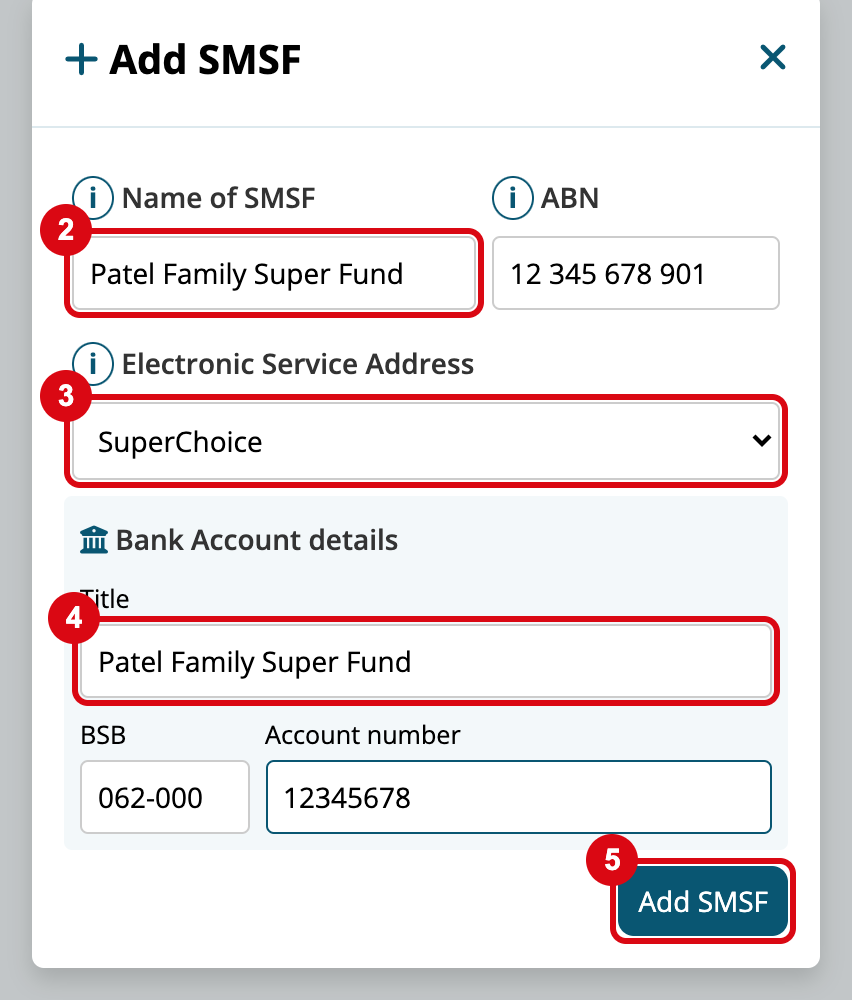
The fund can then be chosen in the employee's Super Fund Details.
If a fund isn't in the list when you search, click Submit Missing Super Fund on the same page, enter its USI and name, and click Submit. It's sent to Microkeeper to add.