Welcome to Microkeeper
Microkeeper is HR, rostering, timesheets and payroll for Australian businesses, in one system. These guides show you how to set it up and use it day to day.
If you're new, start with Quick Start. It takes you from signing up to your first pay run.
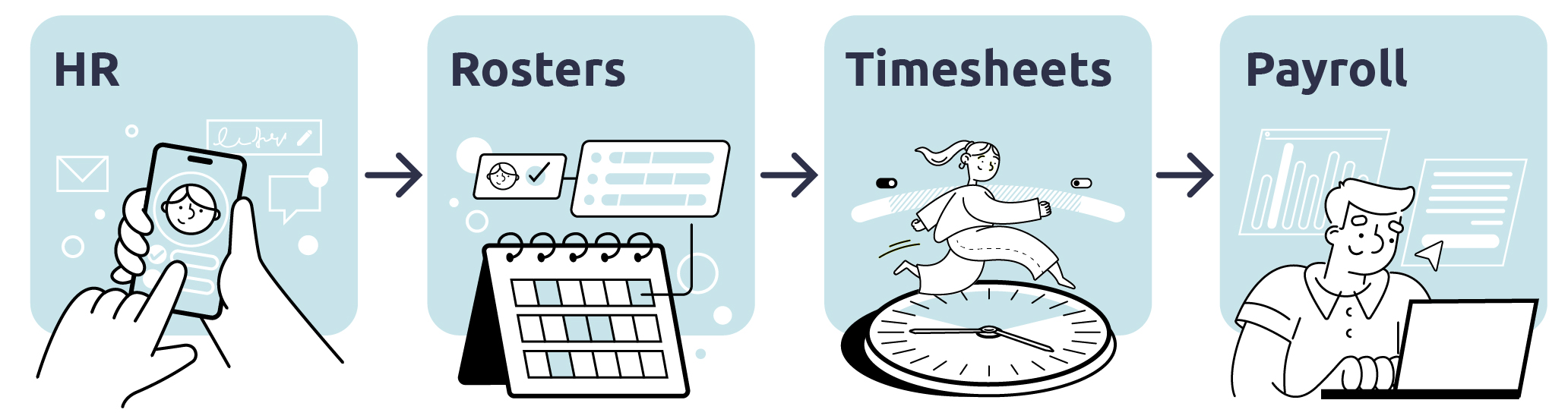
What Microkeeper does
HR
Hire and onboard staff, keep one record for each employee, and stay compliant with skills, documents and work rights.
Rostering
Plan who works when and where, and publish shifts to your staff.
Timesheets
Record the hours staff work, from their phone, a kiosk or a scanner, and approve them.
Payroll
Pay staff from approved hours and your award rules, then lodge with the ATO and pay super.
Each part feeds the next: your employee records set up who can work, the roster plans the hours, timesheets record what was worked, and payroll pays it. Underneath, every part works from the same employees, Groups and cost centres: see Employees.
Where to start in the guides
- Setting up a new account: follow Quick Start, step by step.
- Only need payroll: follow Payroll Only Quick Start.
- Learning how Microkeeper works: read Core Concepts, starting with Employees.
- Learning a part of Microkeeper: open its category in the guides menu. The first guide in each category explains how that area works.
- An employee: see Employee Console for clocking on, rosters, leave and payslips.
Get help inside Microkeeper
- Guides link: the Guides link in the menu opens the guide for the page you're on, where there is one.
- Info dots: hover over an i next to a setting to see what it does.
- FAQs: answers to common questions, searchable from the FAQ page.
Get help setting up with a Microkeeper specialist
If you'd rather not set up your account yourself, the Microkeeper team offers a supported setup, including importing your staff and setting up your award. See Supported Setup and Training.