Quick Start
Quick Start takes you from signing up to paying your staff for the first time. Each step builds on the one before, so work through them in order.
Each step is its own guide and ends with a link to the next. You can stop after any step and pick up where you left off.
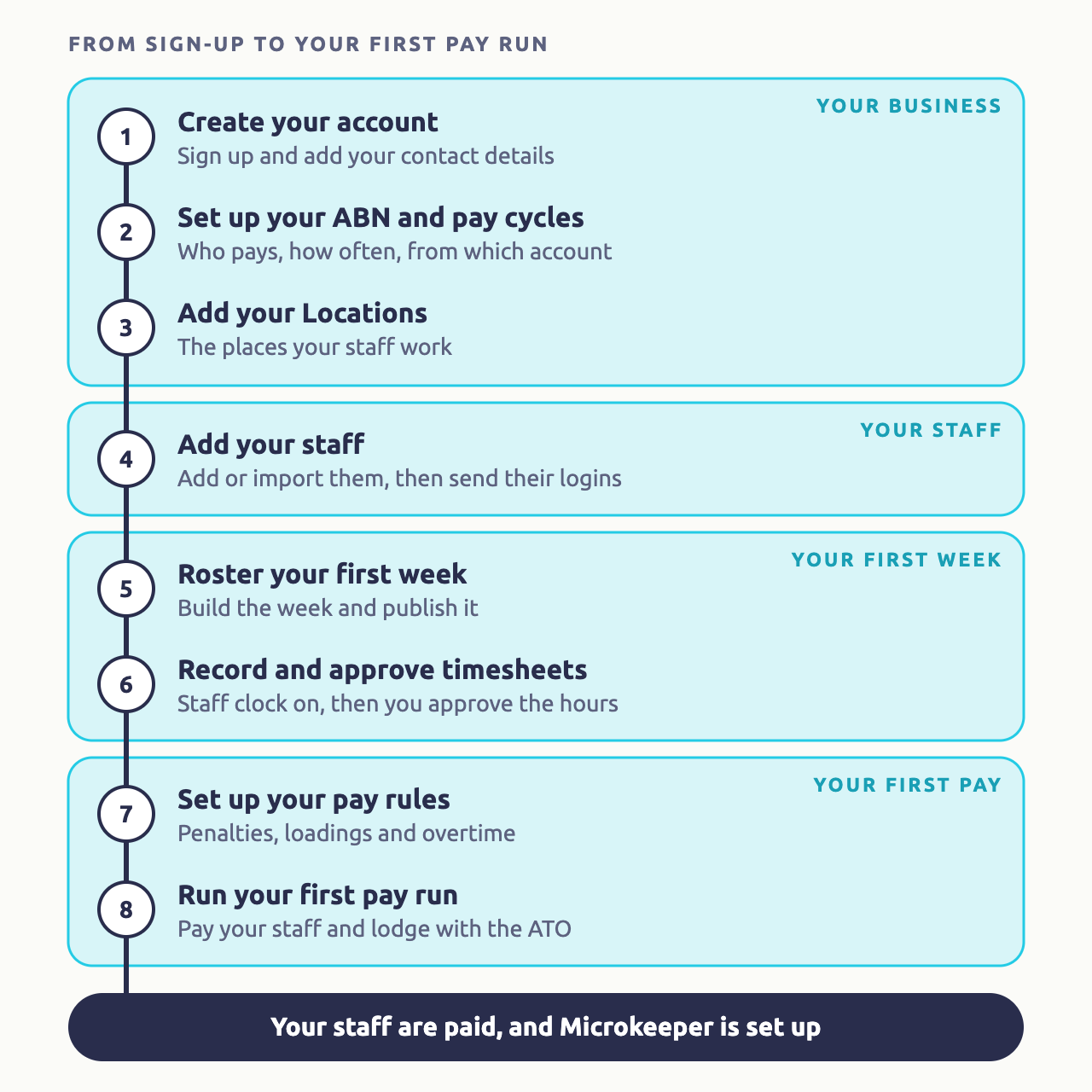
The Quick Start steps
Create your account
Sign up, choose your working week, add your business contact details and set your password.
Set up your ABN and pay cycles
Add your ABN, your pay cycles and the bank account wages are paid from.
Add your Locations
Name the places your staff work, so rosters, timesheets and reports can use them.
Add your staff
Add employees one at a time or import them from a spreadsheet, then send their logins.
Roster your first week
Build a week of shifts and publish it to your staff.
Record and approve timesheets
Choose how staff clock on, then check and approve the hours they worked.
Set up your pay rules
Add the award rules for penalties, loadings and overtime.
Run your first pay run
Pay your staff, download the bank file and lodge with the ATO.
Payroll only? Take the shorter path
If you only need Microkeeper for payroll, without rosters or timesheets, follow Payroll Only Quick Start instead. It covers adding employees with their regular pay, running a pay run and lodging with the ATO.
What you need to set up Microkeeper
Have these ready before you start:
- Your business ABN, and the ABN of any other company that employs staff.
- A mobile phone that can receive an SMS, for your login.
- Your business address and phone number.
- The bank account your wages are paid from.
- Your staff's names and contact details. For payroll you'll also need their start dates, pay rates, tax file number declarations, bank accounts and super funds.
- The award or agreement your staff are paid under.
Get help setting up Microkeeper
If you'd like a hand, contact the Microkeeper team. We can help with any step, including importing your staff and setting up your award.